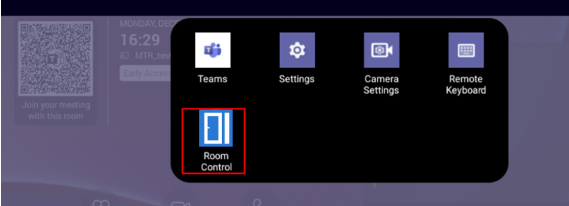
Room Control
The RX-PAD can run a web page of a Room Control system that is being placed in the same location as the RX-PAD and resides on the local network. The web page URL can be specified either as an FQDN or an IP address.
RX-PAD control URL restricted to local network
The RX-PAD will not communicate with the Room Controller if the Room Controller has a public IP address. Both devices must be on the same local network, using local IP addresses, for communication to work.
Ports 443 and 80 are blocked. If you try to enter a URL to a public destination, a “Can’t access public internet” message is displayed, and the entered value is not saved.
| ➢ | To specify the page URL of the Room Control system: |
| 1. | If not already logged in, log in to Device Administration to get admin access (see Log in to Device Administration). |
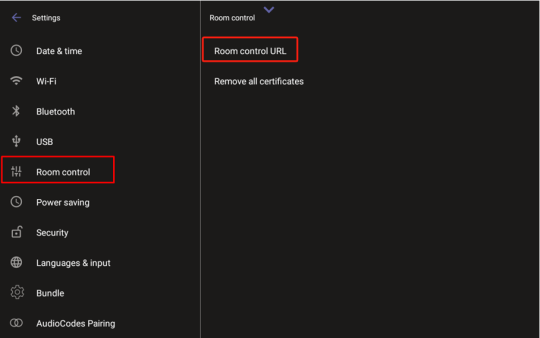
| 2. | Under ‘Device admin settings’, scroll down and tap Room control. |
| 3. | Tap Room control URL and enter the FQDN or IP address. |
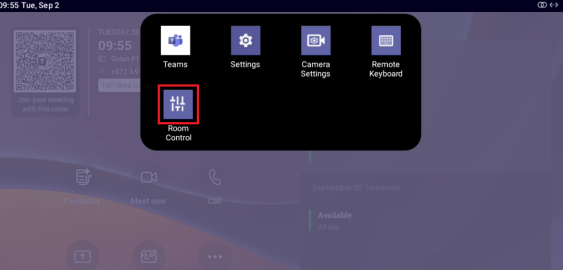
Once the Room Control URL has been set, the Room Control icon is created in the notification tray.
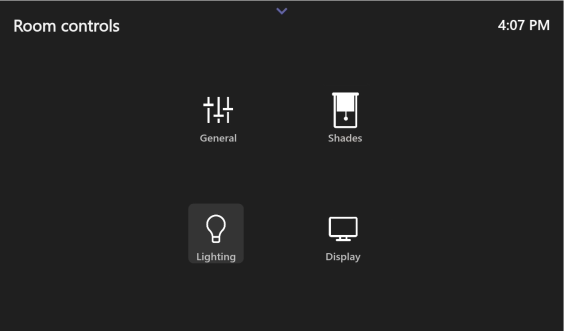
The following is an example of a Room Control app running and operated from the RX-PAD:
You can replace the Room Control icon with an image of your choice. To do this, execute the following command to the RX-PAD via an SSH connection:
param_tool scp system/room_control/icon_url “URLtoIconLocation”